OTC desk
A quoted rate for your whole trade.
Buy or sell Bitcoin, USDT and USDC with someone on the desk. We agree the rate, fees and where the funds will go before you send anything.
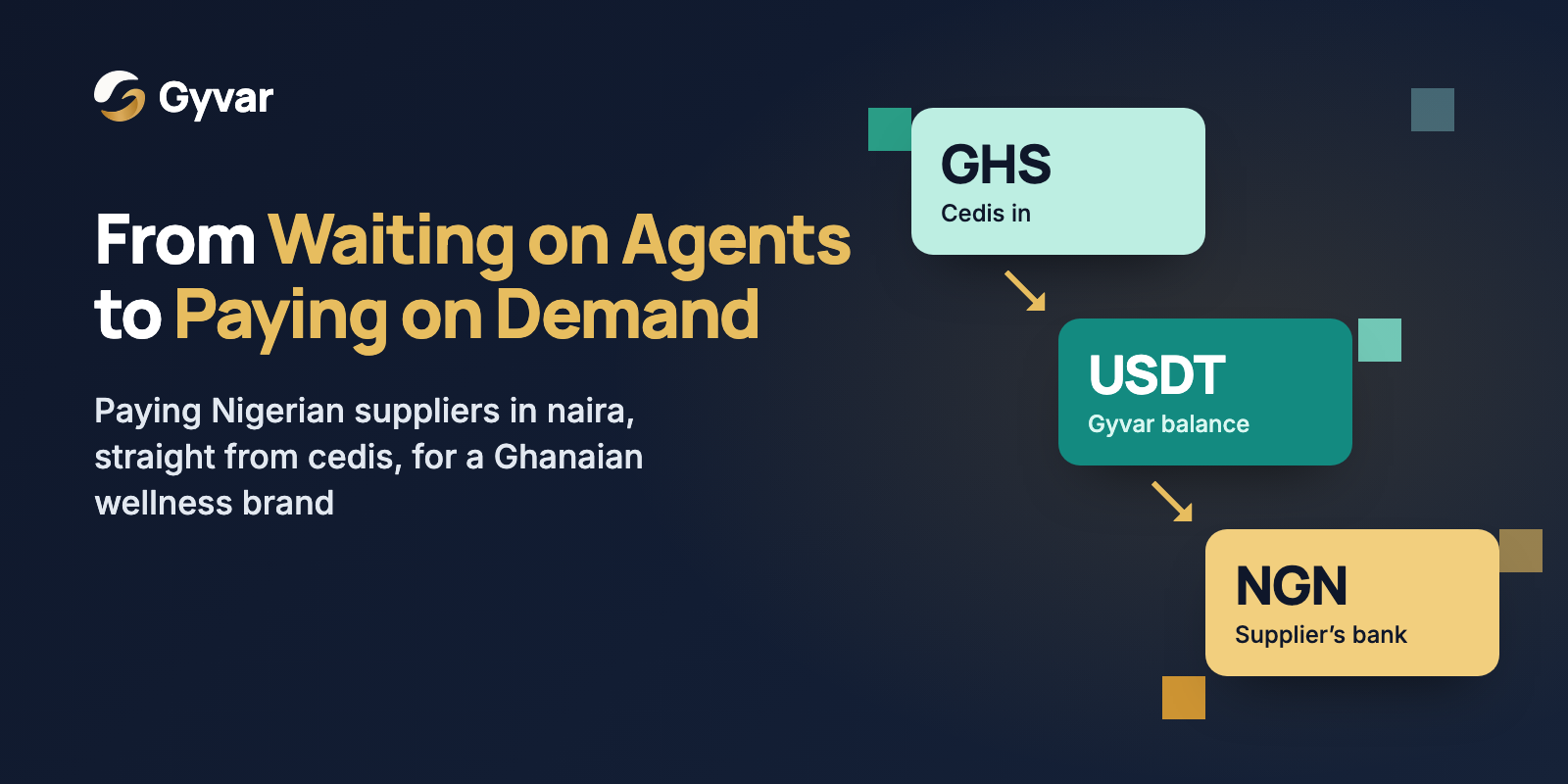
Example trade
 USDT
USDTFund in cedis. Receive USDT in your Gyvar account or an agreed wallet.
What you can trade.
Bitcoin and stablecoins in, local currency out
Sell Bitcoin, USDT or USDC and receive local currency in a supported bank account or mobile money wallet.
Local currency in, Bitcoin and stablecoins out
Pay in a supported local currency and receive Bitcoin, USDT or USDC on a supported network agreed with the desk.
Between digital assets
Trade between Bitcoin, USDT and USDC at a rate agreed with the desk.
Treasury conversion
Convert funds your business holds into the currency you need for suppliers, payroll or other expenses.
Where you can receive your funds.
Agree the currency, account and network with the desk before funding your trade.
Local currencies
 GHS
GHS NGN
NGN KES
KES UGX
UGX XOF
XOF XOF
XOF XAF
XAF GMD
GMD
Local currency goes to supported bank accounts and mobile money wallets. See coverage
Digital assets
 BTC
BTC- USDT
 USDC
USDC
Choose a supported stablecoin network with the desk. Bitcoin can be sent on-chain or over Lightning.
- 01
Tell us the trade
Tell us what you want to sell or buy, the amount, and where you want to receive the funds.
- 02
We quote a price
The desk sends a quote by WhatsApp, phone or email. It includes the rate, fees and amount you will receive.
- 03
Accept the quote and fund the trade
Once you accept and fund the trade, we send the funds to the bank account, mobile money wallet or crypto wallet agreed with you.
- 04
Keep the trade record
You receive a record of the amount, rate and settlement details for your accounts.
Exchanges
Buy or sell digital assets and settle in local currency through Gyvar’s supported payout networks.
Businesses
Buy Bitcoin or stablecoins, pay suppliers, or convert funds for business expenses.
Remittance companies
Arrange funding for customer payouts to supported bank accounts and mobile money wallets.
Payment and fintech companies
Buy digital assets or local currency to fund payments through your service.
NGOs and foundations
Convert Bitcoin and stablecoin donations or grants into local currency for programme expenses.
Questions the desk gets asked
- What makes this different from using the app?
- In the app, you review a quote for each transfer. With the desk, you speak to a person and agree a quote and settlement details for the whole trade.
- Is there a minimum trade size?
- There is no fixed minimum. Tell us the amount and currencies, and we will let you know whether to use the desk or the app.
- How are trades priced?
- Your quote includes the rate and any fees for the full trade. If the price changes before you accept, we send a new quote for you to review.
- Where can settlement land?
- A supported bank account, mobile money wallet or crypto wallet. We confirm the destination and any network requirements with you before you fund the trade.
- Do I need a Gyvar account first?
- You can contact the desk first. We will explain how to open an account and which verification checks are needed for your trade.
What do you need to trade?
Send us the currencies, amount and where you want to receive the funds. The desk will reply by email, WhatsApp or phone.